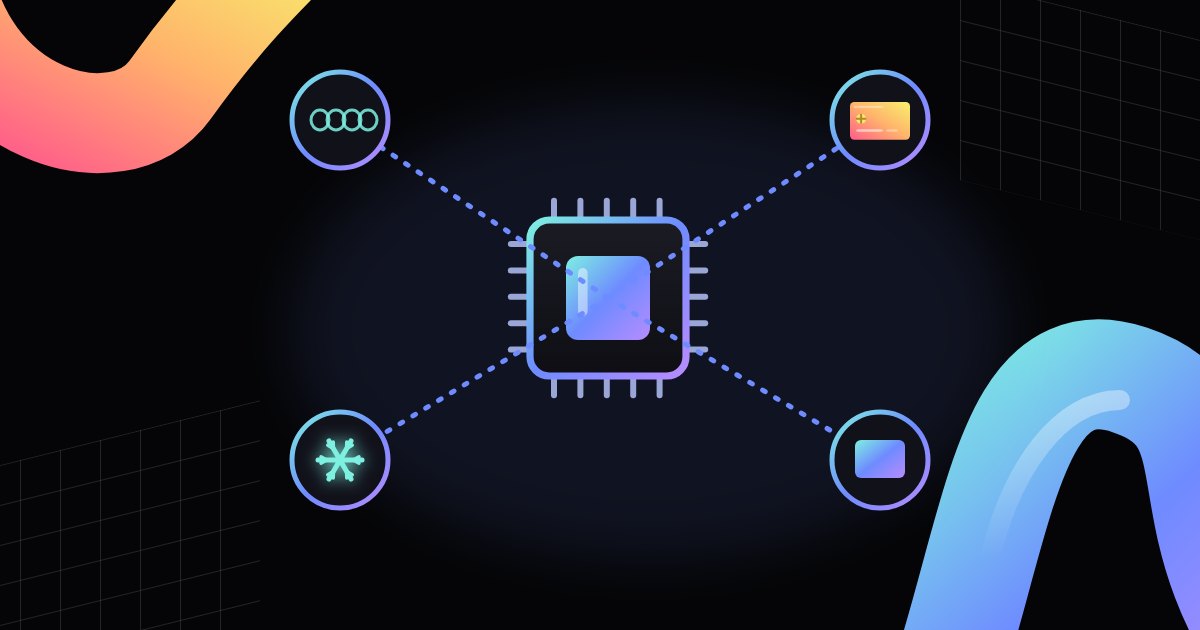
The controller ties every part of the machine together. Here is what it does from product selection to dispensing.
- What the controller is
- What the controller handles
- From button to product
- Talking to payment devices
- Motors, spirals, and the lift
- Sensors: the machine's eyes and ears
- Keeping temperature in check
- Configuration and service mode
- Counters and sales data
- Messages on the screen
- The screen and keypad are only part of it
- Controller and machine type
- Controller software
- When the controller fails
- Replacing the controller
- Power and protecting the electronics
- What to ask when choosing a machine
- Why it is worth knowing
- FAQ
You type in a selection number, tap your phone on the reader, and a moment later the spiral turns. A snack bar drops, and the screen says "Thank you." It looks simple. Inside, though, several devices had to talk to each other within a second. The keypad, the payment reader, the motor, the drop sensor. One part directs them all: the controller. This post explains what a vending machine controller is, what it does, and why it is worth knowing about even if you never look inside. We describe typical designs. The details for your machine are in the manufacturer's manual.
What the controller is
The controller is the electronic control unit that runs the machine: it reads the customer's selection, checks payment, triggers the dispensing mechanism, monitors temperature, and records sales data. Physically, it is usually a circuit board or module hidden behind the door panel or in a housing inside the machine. You cannot see it from outside. Customers only deal with its "face," the screen and the keypad. Every other component – keypad, payment reader, motors, sensors – talks to it. That is why people call it the machine's brain. Without a controller, a vending machine would be a box of motors that do not know when to turn.
What the controller handles
The controller has a wide range of jobs. Typically they include:
- product selection and the display,
- communication with payment devices,
- running the motors or lift,
- reading sensors, such as temperature and product drop,
- recording sales counters and events.
Each of these jobs is a separate conversation with a different component. The controller makes sure they happen in the right order. First the selection, then payment, then dispensing, and finally confirmation and logging the transaction. If something goes wrong at any step, the controller decides what happens next.
From button to product
Let us follow one purchase. The customer enters a selection number. The controller checks whether the product is available and what it costs. It shows the price and waits for payment. The reader or coin mechanism reports that payment went through. The controller starts the motor assigned to that selection. The spiral turns and the product drops. The drop sensor confirms that something fell into the pickup bin. The controller logs the sale and shows a thank-you message. If the sensor did not detect a drop, the controller may turn the spiral again or report an error. All of this takes a few seconds and happens without anyone stepping in.
Talking to payment devices
The controller does not handle payment itself. Separate devices do: the coin mechanism, the bill validator, the card reader, the mobile payment module. Each one talks to the controller using an agreed standard. The controller says, "The customer wants a product for this much," and the payment device answers "paid" or "declined." Only then does the machine dispense. This split makes sense. It means a new card reader can be added to an older machine, if the controller supports the right standard. Whether it does is in the manufacturer's documentation. When payment went through but no product dropped, the problem is usually mechanical, not in the reader.
Motors, spirals, and the lift
In a snack machine, each spiral has its own motor. The controller knows which motor serves which selection. That mapping is set during configuration. If someone moves spirals around without updating the settings, the machine may dispense a different product than the customer chose. Some machines have a lift that rises to the shelf, catches the product, and gently carries it down to the pickup bin. The controller then coordinates the lift and the spiral. In a coffee machine, the controller runs the grinder, pump, brewer, and mixers according to the recipe. The principle is the same: the controller gives the orders and the mechanisms carry them out.
Sensors: the machine's eyes and ears
The controller knows what is happening in the machine thanks to sensors. A temperature sensor tells it whether the cabinet is cold enough or the water in the boiler is hot enough. A drop sensor confirms that something fell off the spiral. Door sensors report whether someone opened the machine. In coffee machines, sensors watch the water level, whether a cup is in place, and how full the grounds bin is. The controller collects these signals and reacts. It can block sales, show a message, or send an alarm to the operator. A dirty or damaged sensor misleads the controller. The machine may then report a fault that does not exist, or miss one that does.
Keeping temperature in check
In refrigerated machines, the controller watches the temperature. It reads the cabinet sensor and switches the cooling on or off to hold the set value. It may also run evaporator defrost cycles at set times. In coffee machines, it does the same for the boiler. Some controllers can block sales of selected products if the temperature crosses a set threshold. Which thresholds and what behavior is a matter of configuration and the manufacturer's guidance. We do not give specific values here, because they depend on the machine and the products. What matters is that temperature is not left to chance. The controller measures it, logs it, and reacts to changes.
Configuration and service mode
Prices, selection-to-motor mapping, and temperature settings are entered in service mode, from the machine's panel, or remotely via telemetry if the machine supports it. Service mode is a special menu available after opening the door or entering a code. Customers do not see it. The operator and technician can change settings there, check counters, test motors, and read errors. The range of settings depends on the manufacturer and is described in the manual. Only someone who knows what they are doing should have access to service mode. One wrong value can make the machine sell coffee for a penny or stop dispensing altogether.
Counters and sales data
The controller keeps records. It counts how many times each selection sold, how much money came in, how many times the door was opened, and which errors occurred. This data is valuable to the operator. It shows what sells and what sits. It helps plan restocking. It makes accounting and handling complaints easier. On machines with telemetry, the data reaches the operator's system in near real time. On older machines, it is read on site, from the panel or through a special port. Does the controller store sales data? Yes, most controllers keep sales and event counters.
Messages on the screen
A message on the screen is the controller's voice. "Sold out," "No cups," "Please make another selection," an error code with numbers. Each one means something. To the customer, it says something is wrong. To the technician, it is a clue about where to look. That is why it helps to give the exact wording of the message, or a photo of the screen, when you report a fault. "The machine is showing something" does not say much. An error code combined with the manufacturer's manual often points straight to the component. The meaning of the codes is in the machine's documentation.
The screen and keypad are only part of it
Customers see the screen and buttons, so it is easy to think they are the machine. In fact, the screen only shows what the controller sends it, and the keypad only passes on button presses. When a button does not respond, the cause can be the keypad itself, the cable between it and the controller, or the controller. When the screen is dark but the machine is still cooling and lit, the problem may involve only the display. That distinction matters to the technician. For you, a description is enough: what works and what does not. "The screen is dark, but the lights inside are on and I can hear the cooling" is a very helpful sentence.
Controller and machine type
Snack machines, coffee machines, and vending coolers have different controllers because they drive different mechanisms. A snack machine turns spirals and manages cooling. A coffee machine runs a complex recipe with many steps. A vending cooler may control the door lock and weigh or recognize products taken from the shelf. Different jobs need different electronics and different software. That is why a controller from one machine usually cannot be moved into another. You can browse device types on the page with vending machines (publisher's site).
Controller software
The controller runs on software prepared by the manufacturer. The software determines which features are available, which payments the machine accepts, and how it responds to errors. The manufacturer may release updates. They fix bugs, add support for new payment devices, or change how some features work. The service team installs updates, on site or remotely if the machine has telemetry. It is a job for someone who knows the machine. An interrupted update can leave the controller in a state that needs a technician's visit. That is why the decision to update belongs to the operator, not the machine's user.
When the controller fails
The controller is electronics, and electronics sometimes fail. The symptoms vary: the machine ignores buttons, the screen is blank or shows strange characters, motors turn for no reason, settings disappear. The cause may be the controller itself, but also the power supply, moisture, overheating, or a damaged cable. Leave the diagnosis to the technician. You can do the most important part: describe the symptoms, take a photo of the screen, and report the problem to the operator. Do not open the controller housing or unplug cables. Do not switch the power off and on repeatedly without talking to the operator.
Replacing the controller
Can the controller be replaced? Usually yes, but the service team should do it per the manufacturer's guidance. Replacement is more than swapping a board. The new controller has to be configured: prices entered, selections mapped to motors, temperatures set, payment devices connected. Sometimes data or counters need to be transferred. So it takes longer than replacing a simpler part. Be aware that old counters can be lost if nobody reads them first. If you need that data, for example for accounting, tell the operator before the replacement.
Power and protecting the electronics
The controller is sensitive to power quality. Sudden outages, surges, and voltage swings can harm it. Moisture and dust are not its friends either. So where the machine stands matters for the electronics too. A machine next to a shower or in a dusty warehouse lives a shorter life than one in a dry office. The manufacturer lists power and operating requirements in the manual. An electrician decides on the electrical installation at the site. If the building often has power outages, mention it to the operator. They may suggest a solution, or at least know what to expect.
What to ask when choosing a machine
If you are choosing a machine, ask about the controller, even if it sounds like a technical detail. Which payments does it support, and can new ones be added? Does it have telemetry, meaning the operator can see data and errors remotely? How are prices and menus changed: only on site, or remotely too? What sales data does it record, and who has access to it? How are software updates handled? The answers are in the documentation and with the operator. The controller decides how flexible the machine will be for years to come.
Why it is worth knowing
You do not need to understand electronics to use a vending machine. Knowing that a controller works inside does help in a few situations, though. It is easier to understand why a price can be changed remotely while a stuck snack bar cannot be freed that way. It is easier to describe a fault when you know the message on the screen comes from the controller. It is easier to ask good questions when choosing a machine. The controller is the part nobody sees, and almost everything the machine does depends on it.
Related reading: How a Vending Machine Works.
FAQ
Can the controller be replaced? Usually yes, but the service team should do it per the manufacturer's guidance.
Does the controller store sales data? Yes, most controllers keep sales and event counters.
Can I change a price on the machine myself? Usually the operator does it in service mode or remotely. Access to those settings is limited to authorized people.
What does an error code on the screen mean? It is a message from the controller pointing to a problem. The manufacturer's documentation explains the codes, and it helps to give the exact wording when you report it.