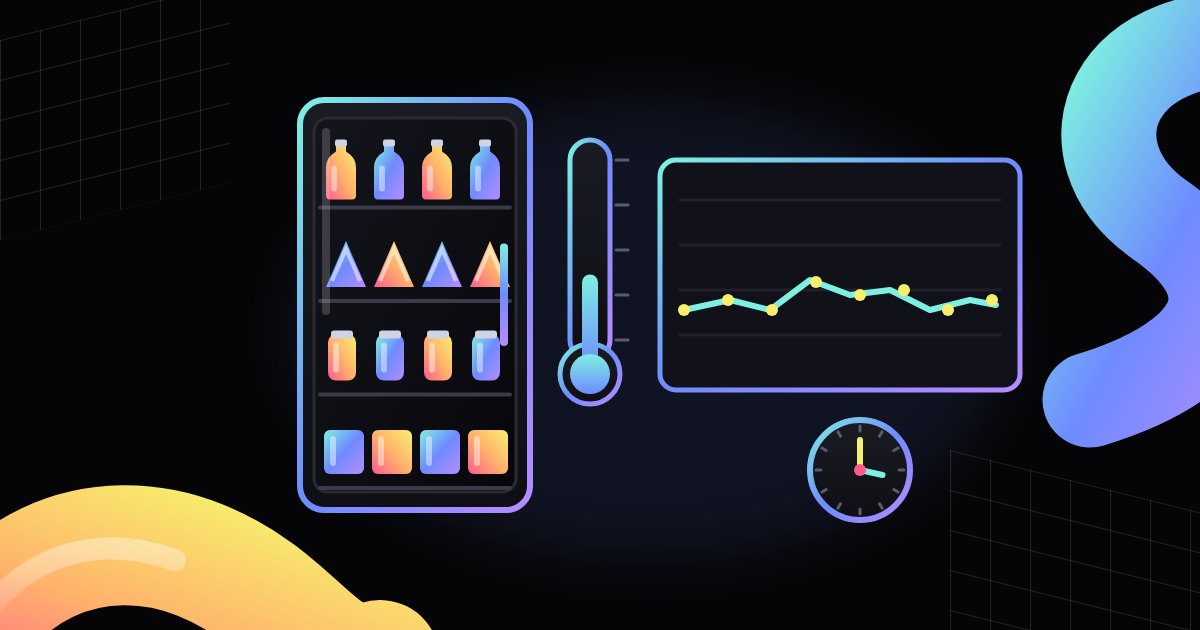
For chilled products, what counts is not just the current temperature but its history. Machines can record it.
- How it works in brief
- What gets recorded
- Zones and sensors
- Thresholds and alarms
- What happens after an alarm
- Power cuts
- Door openings and restocking
- Who uses the data
- Can customers check the temperature
- Telemetry and notifications
- When a sensor is wrong
- Location matters
- Defrosting and small spikes
- History as a basis for conversation
- Logging and vending coolers
- Your role as the host
- Example: an office after a long weekend
- What to check before you decide
- FAQ
Monday morning, someone at the office reaches for a sandwich from the vending cooler and wonders whether everything was fine over the weekend. On Friday evening, the power in the building went off for a while. Nobody saw it, but the machine remembered. This post explains how vending machines record temperature readings, what exactly goes into memory, what happens after an alarm, who uses the data, and what to ask the operator if you are responsible for a machine with chilled products.
How it works in brief
A refrigerated machine has one or more temperature sensors. The controller, the machine's small built-in computer, reads them regularly. Many machines store these readings in the controller's memory. If the machine has telemetry, it also sends them to the operator's system. When the temperature passes a set threshold, the controller logs an alarm, can block sales of certain products, and alerts the operator. The reading history then helps assess what happened to the products. How often the controller saves readings and how much history it keeps depends on the machine. You will find this in the manufacturer's documentation.
What gets recorded
The range of data depends on the controller, but it usually covers a few basics. The current temperature in each zone of the machine. Threshold breaches and how long they lasted. Power cuts, because without electricity the cooling stops. Door openings, because warm air gets in during restocking. Some machines also record information about the compressor or about defrosting. From data like this, the operator can piece together a fairly detailed history of what went on inside the machine. It is a bit like a black box, except that instead of a flight it describes the life of sandwiches and yogurts.
Zones and sensors
A larger refrigerated machine doesn't always have a single temperature throughout. There may be zones, for example one for drinks and one for fresh products. Each zone can have its own sensor and its own alarm thresholds. Where the sensor sits matters. A sensor next to the evaporator will show something different from one near the door. That is why the manufacturer specifies where the sensors should be mounted. If someone changes the shelf layout or moves a sensor, the readings may no longer reflect reality. Changes like that should be made by a service technician following the manual. The operator can tell you how the sensors are placed in your machine. It also helps to know which zone is the most sensitive, since that is usually where the fresh products go.
Thresholds and alarms
A threshold is the temperature value that makes the controller react once it is crossed. Which thresholds to set depends on the products in the machine and on the requirements that apply to them. The operator sets them based on its own procedures and on information from the food producers. We are not giving specific values here, because they differ by product and by site. What matters is something else: an alarm usually doesn't go off right after a brief temperature spike. The controller takes into account how long the breach lasted. So opening the door for a moment doesn't trigger an alarm, while a few hours without cooling does.
What happens after an alarm
That depends on the controller settings and the operator's procedures. Often the controller blocks sales of products from the zone where the temperature was too high. The customer then sees a message that the product is unavailable. At the same time, the operator gets a notification if the machine has telemetry. A service technician checks the cause, and the operator decides what to do with the products, usually according to its food safety procedures. The block can seem annoying when you want a sandwich, but it protects customers from a product that may have spoiled. Better to walk away from the machine hungry than to go home sick.
Power cuts
Power sometimes goes out. A fault in the building, electrical work, someone unplugging the machine to plug in a vacuum cleaner. Without power the machine doesn't cool, and the temperature inside slowly rises. When the power comes back, the controller records that there was an outage and how long it lasted. Based on the readings, the operator can assess whether the products stayed at a suitable temperature. If you know a power shutdown is planned in the building, tell the operator in advance. They can schedule a visit or clear out the fresh-product zone. It is also a good idea if the machine's outlet isn't the one the cleaning crew uses.
Door openings and restocking
Every time the door opens, warm air gets in. During restocking, the machine stays open for a while, so the temperature inside rises. The controller records this. Good practice is to restock quickly, without leaving the door open during a phone call. Products should go into the machine already chilled, not straight from a warm van. How products should be transported and stored is set by the operator's procedures and the producers' information. The history of door openings helps with something else too. If the door opened at night when nobody was supposed to restock, the operator will want to know why.
Who uses the data
The main user of the data is the operator. It uses the readings within its own food safety procedures and to diagnose cooling problems. A service technician looks at the history when searching for the cause of a fault. If the temperature rises slowly over several days, it may point to a dirty condenser or a worn compressor. If it jumps suddenly, it is more likely a power cut or an open door. Which requirements for recording and keeping this data apply to the operator is something the operator works out with its advisor and the relevant authorities. This post doesn't describe such requirements.
Can customers check the temperature
Sometimes. Some machines show the current temperature on the display or on a touchscreen. It is a simple piece of information that builds trust, especially with fresh products. The full reading history, however, stays with the operator, not the customer. If you have doubts about a product, for example a sandwich that feels warm or a package that looks bloated, don't eat it. Write down the time, the product, and the machine number, then contact the operator using the details on the sticker. The operator can check the temperature history and look into it. Refunds follow the operator's procedures.
Telemetry and notifications
Without telemetry, sensor data stays in the controller's memory. A technician can read it on site, but the operator won't learn about a problem until someone visits or calls. With telemetry, readings reach the operator's system as they happen. An alarm can arrive as an app notification, an email, or a text message. That lets the service team react faster, sometimes before anyone at the machine notices a problem. Telemetry needs connectivity, so in a basement with a weak signal it may work with a delay. The post about vending machine connectivity covers this in more detail.
When a sensor is wrong
Sensors fail too. A sensor may show a lower temperature than the real one, or the other way around. Then the data in memory is misleading. That is why the service team checks the sensors from time to time by comparing their readings with an independent thermometer. How often and how to do this is set by the manufacturer's manual and the operator's procedures. If you notice that the display shows a temperature that doesn't match what you feel when you touch a product, tell the operator. Sometimes a small observation from a customer catches a fault earlier than any alarm.
Location matters
A refrigerated machine works harder in a warm spot. A sunny window, a radiator nearby, a tight alcove with no airflow. In conditions like these, the compressor runs longer, and the temperature inside crosses the threshold more easily. The reading history often shows this. If alarms always appear in the afternoon, the sun may be the culprit. The clearances from the wall and the ambient conditions the manufacturer allows are in the manual. Moving the machine by a few feet can be more effective than another service visit. The post about powering a vending machine has more on placement.
Defrosting and small spikes
A temperature chart from a refrigerated machine rarely shows a straight line. The temperature waves a little because the compressor switches on and off. From time to time, the machine may also go through defrosting, which removes ice from the evaporator. During that time, the temperature briefly rises. This is normal and usually doesn't trigger an alarm. When someone looks at the reading history for the first time, these spikes can look worrying. Not every bump on the chart means a problem. A service technician or the manufacturer's manual can explain what normal operation looks like for a specific machine. What matters most is whether the temperature returns to normal and how long it was outside the range.
History as a basis for conversation
Sensor data is useful not only to the service team. It also helps the conversation between the host and the operator. If employees complain that drinks aren't cold enough, the reading history will show whether that is true or a matter of expectations. If the machine raises alarms often, the data will suggest whether the location, frequent door openings, or the machine itself is to blame. That way the conversation rests on facts rather than impressions. You can ask the operator for a short summary, especially after a fault or after the machine has been moved. Which data the operator shares and in what form is worth agreeing in the contract.
Logging and vending coolers
Temperature logging matters most in units with sandwiches, salads, and meals. These products are sensitive to temperature and have a short shelf life. In a machine with canned drinks, a few degrees more for an hour is usually not a problem. In a cooler with sandwiches, it may be. That is why operators pay particular attention to these units. When choosing a vending cooler, it is worth asking how it logs temperature, how much history it keeps, and whether it sends alarms. You can find an overview of such units on the page about vending coolers (publisher's site).
Your role as the host
If the machine stands in your office or building, you don't need to understand controllers. You can still help in a few simple ways. Don't unplug the machine, even for a moment. Tell the operator about planned power shutdowns and nearby construction work. Report it when the door doesn't close properly or the seal is damaged. Make sure nobody blocks the ventilation grille with boxes. If customers complain about warm products, pass it on to the operator right away, not a week later. These small things affect the temperature more than the best sensor does.
Example: an office after a long weekend
Picture an office with a vending cooler in the kitchen. On Friday evening, electrical work is done in the building and the power is off for a few hours. Nobody told the operator. On Saturday morning, the machine comes back on, and the controller records a power cut and a threshold breach in the sandwich zone. Telemetry sends an alarm, and sandwich sales are blocked. On Monday morning, a technician arrives, checks the history, and replaces the products according to the operator's procedure. Employees find fresh sandwiches. The office manager adds the operator to the list of people who get notice of planned power shutdowns.
What to check before you decide
If you are choosing a machine with chilled products or talking to an operator, ask about a few things:
- how the machine logs temperature and how much history it keeps,
- whether it has telemetry and how the operator receives alarms,
- what happens to sales and products after an alarm,
- how the service team checks the sensors,
- which ambient conditions the manufacturer allows,
- whom to tell about planned power shutdowns and product problems.
The answers will show whether the operator takes temperature seriously. And if a sandwich from the machine ever seems suspiciously warm, you now know the machine probably remembers why.
FAQ
Can customers check the temperature? Sometimes it shows on the display. The operator has the full reading history.
What happens after a temperature alarm? Depending on the settings, the controller blocks sales and the operator acts according to its procedures.
Does briefly opening the door trigger an alarm? Usually not. The controller takes into account how long the threshold was exceeded.
What should I do if a product feels warm? Don't eat it, note the details, and contact the operator using the information on the machine.