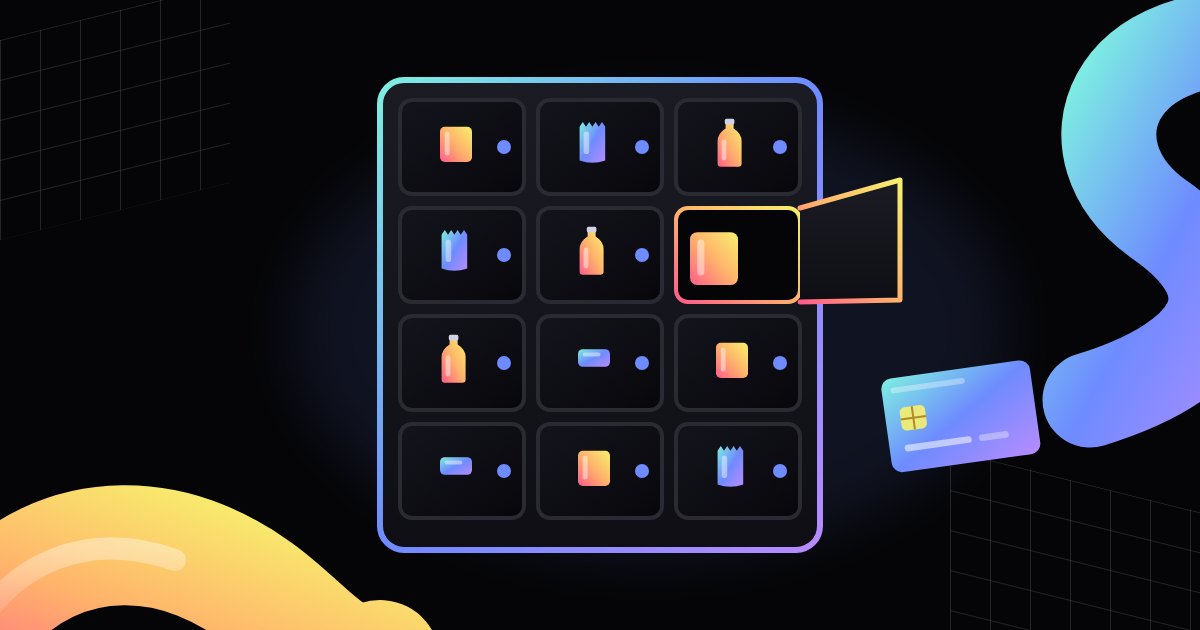
A locker vending machine is a set of compartments, each opening after payment. It can sell products with unusual shapes.
- A compartment instead of a spiral
- How a locker vending machine works, step by step
- The controller and the locks
- Uses
- Picking up orders from a compartment
- Modules and expansion
- Refrigerated versions
- Restocking the compartments
- The panel, descriptions, and prices
- Placement and power
- When the door doesn't open
- Locker or regular machine
- What to check before you decide
- Example: an office building and forgotten chargers
- FAQ
Picture a product that won't fit on a spiral. A large pack, a bundle of a few items, an accessory with an awkward shape. A regular machine has no room for it, and the shop next door is closed. That's where a locker vending machine comes in. It looks like a row of small lockers, except nobody carries a key. A locker vending machine has many electronically locked compartments. The customer picks one, pays, and the controller releases only that door's lock. Each compartment holds one product or bundle, so lockers suit items that would not fit on a spiral. This post covers how a locker machine works, what it's good for, how it's looked after, and what to check before you decide.
A compartment instead of a spiral
A classic vending machine keeps products in rows and dispenses them mechanically. A locker machine does it differently. Each product has its own spot behind its own door. Nothing drops, nothing turns, nothing gets stuck on a spiral. The customer simply opens the compartment and takes what they paid for. That simple idea has a lot going for it. The product can have almost any shape, as long as it fits the compartment. Delicate items aren't at risk of a fall. The customer can see what they're buying if the doors are glass. There's a limit, too. One compartment usually means one sale. After a purchase, the compartment stays empty until someone refills it. That's why a locker won't replace a candy machine that holds many units of the same product in one spiral.
How a locker vending machine works, step by step
Buying from a locker machine is simple and usually goes like this:
- Choose a compartment on the panel.
- Pay by card, phone, or cash.
- The lock releases.
- The customer closes the door and a sensor confirms it.
Which payment methods are available depends on the model and the operator's setup. The panel usually shows compartment numbers, prices, and product details. The door sensor tells the system that the compartment is closed and empty again. That way, the operator knows which compartments need refilling. If something goes wrong, the customer should remember the compartment number. It's the single most useful piece of information the operator will need.
The controller and the locks
Behind the doors, a controller links the panel, the payment system, and the locks. Once a payment is approved, the controller sends a signal to just one lock. The other compartments stay closed. That matters, because the customer should have access only to what they paid for. The locks are electronic, so there are no keys for customers to lose. The operator has its own way of opening compartments for restocking, described in the device documentation. Technical details, such as the type of locks, how they're powered, or what happens during a power outage, depend on the model. We won't guess them here. You'll find them in the manufacturer's spec sheet and manual. If these points matter to you, ask the operator before choosing a device.
Uses
Odd-shaped products, larger packs, accessories, bundles, and pickup of pre-ordered items. Browse devices on the page with vending machines (publisher's site). In practice, that covers many different situations. In an office, a locker can sell chargers, headphones, or small office supplies. At a workplace, it can hand out items people need during a shift. In a hotel, it can offer guests things they forgot, such as a toothbrush. At an online shop or a service point, it can handle order pickup outside opening hours. The common thread is simple: a product that doesn't fit a spiral, or a purchase that needs to be collected at a specific spot.
Picking up orders from a compartment
One of the more interesting uses is pickup of pre-ordered items. The customer places an order, and staff put the item in a compartment. The customer comes by when it suits them and opens the compartment the way the system allows, for example with a code. They don't have to wait for staff or arrive before closing time. That's handy where people work different hours. Exactly how pickup works depends on the operator's system and software. Some lockers combine sales and pickup in one unit, while others handle only one of those jobs. If this feature matters to you, ask about it before choosing. Not every locker supports it, and adding it later can be harder than picking the right model from the start.
Modules and expansion
Lockers are often modular – more columns of compartments attach to the unit with the panel. That's a practical setup. You can start with a smaller configuration and add modules if sales justify it. Compartments can also come in different sizes, depending on the model. Small ones for little accessories, bigger ones for bundles or large packs. A well-chosen compartment layout is half the battle. Too many small compartments, and larger products won't fit. Too many large ones, and they'll sit half empty. The manufacturer lists the possible configurations, the number of modules, and their dimensions. Before deciding, make a list of the products you plan to sell and compare it with the compartment sizes.
Refrigerated versions
There are refrigerated versions. Check the model's specs. A refrigerated locker can sell products that need to stay cold, such as meals or drinks. It's a different class of device from a plain accessories locker, though. It needs suitable power, room for ventilation, and more frequent restocking if it sells fresh food. The producer gives storage conditions for food products on the label, and the operator is responsible for following them. The operator also knows the requirements for the food being sold and checks with an advisor or the relevant authorities when in doubt. Not every locker has cooling, and not every module in a given locker has to be refrigerated. It depends on the model.
Restocking the compartments
Restocking a locker works differently from a spiral machine. The operator's staff member doesn't add several units to a spiral. Instead, they open specific empty compartments and place a product or bundle in each. That takes a bit more time per item, but it's easy to check what's inside. Door sensor data and the sales system help the operator know which compartments are empty before they even arrive. While restocking, the operator should also update which product and price belong to each compartment in the system. Otherwise, the customer sees one thing on the panel and finds something else behind the door. That rarely ends in a good mood. How often visits happen depends on sales, the range, and the site, and the agreement with the operator describes the scope of duties. The company hosting the locker doesn't need the details, but it should know whom to call when compartments sit empty for a long time.
The panel, descriptions, and prices
The panel is where the customer makes the decision. It should clearly show the compartment number, the product name, and the price. If the doors are glass, the customer sees the product before buying, which cuts down on mistakes and complaints. If the doors are solid, the panel description has to be really precise. The operator sets the prices, and how they're displayed depends on the device software. For food products, ingredient and allergen information is on the product label. It helps if the panel is easy to read for people who see such a locker for the first time. Big numbers, simple messages, and clear information about payment methods do more than flashy screen animations.
Placement and power
A locker machine needs a spot that customers can reach, that's well lit, and that's reasonably sheltered. There has to be room in front of it for the doors to open. If the locker is tall, the top compartments may be hard for some people to reach, so keep that in mind when planning the layout. The device needs power, and often a network connection too, to handle payments and send data to the operator. The requirements are on the rating plate and in the manual, and an electrician can confirm whether the wiring at the spot is suitable. If the locker will stand outdoors, check the spec sheet to see whether the model is designed for it. In shared spaces, the building manager decides on placement. If the spot will be covered by cameras, discuss it with the building manager and the person responsible for data protection. The locker stands where many people walk by every day, not in a locked storeroom.
When the door doesn't open
Any device can fail now and then, and a locker is no exception. It can happen that the payment goes through and the compartment stays shut. Then the most important thing is that the customer knows what to do. Contact the operator with the compartment number. It helps to have a clear sticker with the operator's contact details on the locker. Without it, the customer will look for help at the front desk or from random passersby, who have no access to the locks anyway. Refunds or handing over the product follow the operator's procedures. The company hosting the locker should know those procedures, because employees will definitely ask. Usually the first time it happens, on a Monday morning.
Locker or regular machine
A locker machine isn't better or worse than a classic vending machine. It's just different. A spiral machine is good at selling many units of a few popular products, like candy bars or drinks. A locker is good at selling varied, often larger products, one unit per compartment. If people at a site mostly want snacks, a spiral machine is usually enough. If they need accessories, bundles, or order pickup, a locker makes more sense. Often the two stand side by side. Before choosing, think about what people actually want to buy and how often. The operator can help judge which format fits the site, because they know the sales at similar locations.
What to check before you decide
Before choosing a locker machine, go through a short list:
- which products will go in the compartments, and how big they are,
- whether you need a refrigerated version,
- whether the locker is for sales, order pickup, or both,
- how much space there is, including room for the doors to open,
- whether there is suitable power and connectivity,
- which payment methods the model supports,
- who will refill the compartments and how often,
- what the customer does when a compartment won't open,
- what the manufacturer's spec sheet and manual say.
If you don't know an answer, write the question down and ask the operator before signing the agreement.
Example: an office building and forgotten chargers
Picture an office building where the front desk hears the same question every day: does anyone have a charger? People forget cables, headphones, sometimes batteries for a mouse. The nearest electronics shop is a few stops away. The building manager talks to the operator. A regular machine is out, because accessory packs come in different shapes and won't fit on spirals. The choice falls on a locker with a few compartment sizes. It goes in the lobby, by the elevators, in a well-lit spot. A sticker on the cabinet gives the operator's number. After a few weeks, the operator adjusts part of the range, because chargers disappear faster than headphones. The front desk gets its peace back. Or at least it stops lending out its own cable.
Related reading: How Carousel Vending Machines Work.
FAQ
Can a locker machine be refrigerated? There are refrigerated versions. Check the model's specs.
What if the door does not open? Contact the operator with the compartment number.
Can more compartments be added? Often, yes. Many lockers are modular, and the manufacturer lists the possible configurations.
Can a locker handle order pickup? It depends on the model and the operator's system. Ask about this feature before choosing.