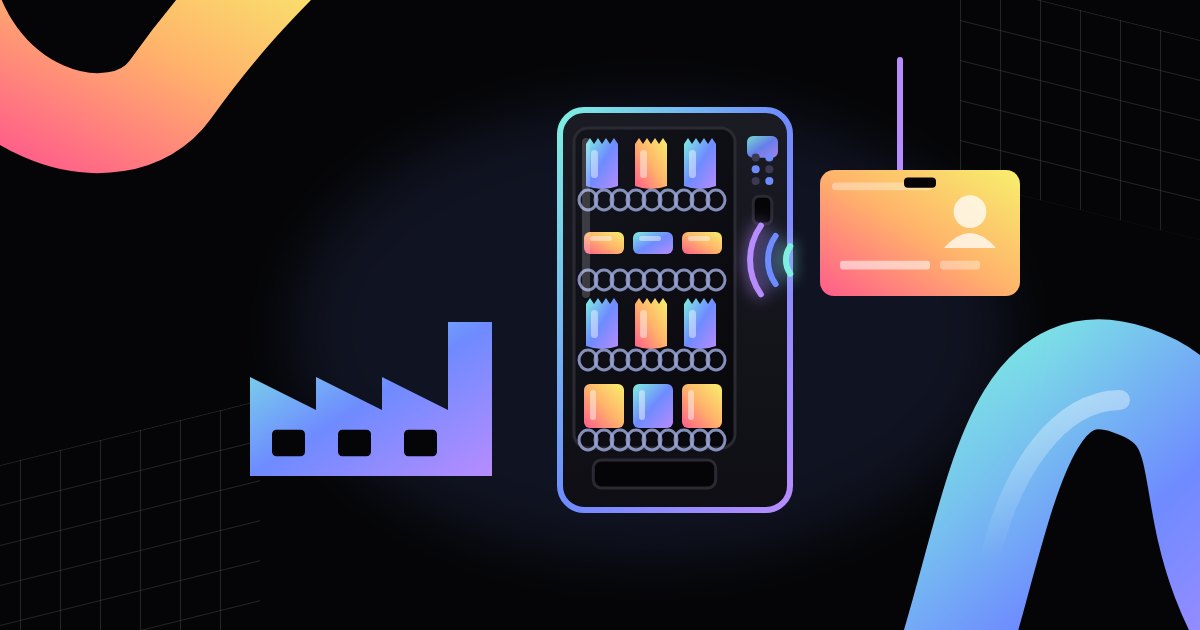
In many plants, employees pay at machines with a company card. It is a closed-loop system that works differently from a bank card.
- What a closed-loop payment system is
- How it works
- Card, fob, or another ID
- Balance or entitlements
- Who pays for purchases
- Top-ups
- Billing with the company
- Data in the system
- Where it is used
- Benefits for employees
- Benefits for the company
- Benefits for the operator
- Combining with card payments
- Rollout step by step
- Testing before launch
- Information for the team
- Lost or damaged cards
- Employees who leave
- Outages and a backup plan
- Refunds and complaints
- Reports and analysis
- System costs
- Questions for the operator
- Common mistakes
- Summary
- FAQ
In many companies, employees buy coffee, drinks, and snacks from vending machines without cash and without a bank card. They simply tap the staff card or fob they already use to open doors or clock in. A closed-loop payment system like this is convenient for the team and keeps billing tidy on the company side. This guide explains how it works, where it fits, how to roll it out, and what to watch for in day-to-day operation.
What a closed-loop payment system is
A closed-loop payment system uses a staff card or fob – often RFID – as an ID. The machine reads the card, checks the balance or entitlements in the system, and charges the employee's or employer's account. Top-ups and billing happen in the operator's system, under rules agreed with the company. "Closed-loop" means the card works only at devices connected to that specific system, not at any store or machine.
How it works
From the employee's point of view, a purchase takes a few seconds:
- The employee taps the card.
- The system checks balance or entitlements.
- The machine dispenses.
- The transaction posts to the account.
The whole process feels like a contactless payment, but the operator's system runs in the background instead of a bank. No one needs to carry a wallet onto the production floor or hunt for coins at the machine.
Card, fob, or another ID
Most companies use the same credential employees already carry: an access card, a time-and-attendance badge, or a key fob. One card for doors, time tracking, and the vending machine means fewer things to keep track of. Before settling on a shared credential, though, check with the supplier whether the reader in the machine can read the cards already in use. Different access control systems use different card standards, and not every reader supports all of them.
Balance or entitlements
Systems usually work on one of two models, or combine both. In the balance model, the employee has a set amount on the account, topped up by the employee or the company, and each purchase reduces it. In the entitlement model, the card grants the right to certain products, such as one coffee per shift or a meal under a company program. The right model depends on what the company wants to achieve: convenient payment, meal subsidies, or control over how certain products are handed out.
Who pays for purchases
Which account gets charged is decided by the company together with the operator. Sometimes the employee pays in full from their own balance, sometimes the employer covers part of the price, and sometimes the whole cost. Different employee groups may also have different rules, for example a separate setup for the night shift. Write the specific settings into the agreement with the operator and explain them clearly to the team. Talk to an accountant about the tax and accounting effects of subsidies or free products before the program starts.
Top-ups
How accounts are topped up depends on the system. Options include an on-site top-up terminal, an app or website, and funding by the employer on an agreed schedule. The simpler the method, the fewer questions HR gets. Before rollout, decide who is responsible for top-ups, how employees check their balance, and what happens to unused funds. Describe these rules in a short guide for the team.
Billing with the company
Top-ups and billing happen in the operator's system, under rules agreed with the company. The operator may send a monthly transaction summary, invoice the part paid by the employer, or provide a reporting dashboard. Agree up front what format the company wants, how often it wants the data, and who on the company side receives it. Well-designed billing saves the finance team a lot of work.
Data in the system
The system links the card to an employee account, so it processes personal data. The data controller provides this information – depending on the arrangements, the employer, the system operator, or both. Settle who plays which role, and how employees will be informed, before rollout, together with a lawyer or a data protection specialist. In practice, it also helps to decide which data the system actually needs to work and which can be left out.
Where it is used
In manufacturing plants, logistics centers, and large offices. The page on vending for manufacturing plants (publisher's site) covers such setups. It works best where many people work in shifts, machines stand in several locations, and the company wants to support employees with a subsidy on meals or drinks.
Benefits for employees
For the team, the biggest benefit is convenience. There is no need to carry cash, remember a bank card, or wait for change. On a production floor or in a warehouse, where workers often do not have a wallet on them, that matters a lot. If the company subsidizes products, employees see the benefit with every purchase. Faster buying also means shorter lines during breaks.
Benefits for the company
The company gains transparency. It knows how much it spends on subsidies, which machines are used most, and which products are popular. It can easily change program rules, for example by adding a subsidy for healthier snacks or for drinks during hot weather. No cash in the machines also means less cash handling and a lower risk of break-ins.
Benefits for the operator
For the operator, a closed-loop system means a stable customer base and predictable sales. Account data helps fine-tune the product range and plan restocking. Less cash means fewer visits just to collect it. The operator does have to keep the system reliable, though, because a reader or connection failure immediately stops the whole team from buying.
Combining with card payments
Many machines accept both staff cards and regular contactless payments at the same time. That works well where guests, drivers, or contractors also use the machine. Everyone can pay the way that suits them. When choosing equipment, check whether the staff card reader and the payment terminal can work side by side and what the purchase screen looks like in that case.
Rollout step by step
A typical rollout looks like this:
- set program goals and subsidy rules,
- check whether existing staff cards work with the machines,
- choose a model: balance, entitlements, or both,
- agree on top-ups and billing with the operator,
- prepare information for employees,
- run a pilot on one or two machines,
- roll out to the remaining locations.
A pilot with a small group helps catch problems before they affect the whole company.
Testing before launch
Before the full launch, check a few things in practice. Is every card read on the first tap? Does the balance update right away? Are subsidies applied as agreed? What does an employee see when their balance runs short? Ask a few people from different departments to buy from the machines for a week and collect their feedback. Small fixes are cheap at this stage, while after a company-wide launch they can take much more work.
Information for the team
Even the best system will not work if employees do not know how to use it. Prepare a short guide: how to pay with the card, how to check the balance, how to top up, what to do if the card is lost, and whom to contact with problems. Put it next to the machines, on the intranet, and in onboarding materials for new hires. A simple one-page guide is usually enough.
Lost or damaged cards
What if the card is lost? It is blocked in the system per company procedure. Decide who takes reports, how quickly the card is blocked, and how the balance moves to a new card. If the same card also opens doors, the procedure is usually already part of the company's security rules, and the vending machines just need to be added to it.
Employees who leave
When an employee leaves, their card should also be deactivated in the vending system. Decide in advance what happens to any remaining balance and how long transaction history is kept. These rules are best described in the program guide, and questions about data and settling up with the employee are best discussed with a lawyer or an accountant. It helps when HR has a simple checklist for departing employees.
Outages and a backup plan
Any system can go down, for example when the network connection drops. Ask the supplier how the machine behaves in that case: whether it stops sales or works offline and settles transactions later. It is also good to have a backup plan, such as the option to pay by bank card. The service contact should be visible on the machine, and response times should be set out in the agreement.
Refunds and complaints
Sometimes a machine charges the account but does not dispense a product. In a closed-loop system, refunds are usually simple, because each transaction is tied to a specific account. Agree with the operator how employees report such problems, who checks the transaction, and how quickly the funds return to the balance. A clear procedure builds trust in the whole system.
Reports and analysis
The system collects sales data that can help both the company and the operator. Summaries show which products are popular, when traffic peaks, and which machines should be moved or restocked more often. Aggregate data is usually enough for this kind of analysis, without pointing to specific people. Set the scope of reports so that they answer business questions rather than collect more data than needed.
System costs
Costs depend on the supplier and the scale. They may include readers in the machines, software, top-up terminals, cards or fobs, and fees for running the system. The operator includes some of these in its offer, and the company covers others. When comparing offers, look not only at the setup price but also at monthly costs, service, and the option to add more machines later.
Questions for the operator
Before signing an agreement, ask:
- which cards and fobs the readers support,
- how top-ups and billing work,
- how the system behaves without a network connection,
- which reports the company will receive,
- how card blocking and balance transfers work,
- who is responsible for servicing readers and software.
The answers help you compare offers and avoid misunderstandings after rollout.
Common mistakes
A few mistakes come up again and again. Companies sometimes assume their access cards will work with any reader and only find out during installation that they do not. Others launch without a clear top-up method, so employees end up with empty balances and frustration at the machine. Some forget to plan for guests and contractors who have no staff card. Many of these problems can be avoided with a short pilot and a checklist agreed with the operator in advance.
Summary
A staff card at the vending machine is a convenient way to handle payments and subsidies at work. Employees buy quickly without cash, the company gets transparent billing, and the operator gets stable sales. The key is good preparation: clear program rules, tested cards, an easy top-up method, a procedure for lost cards, and clear information for the team. Discuss personal data, tax, and contract questions with specialists before launch.
Related reading: Employer Subsidies in Vending and Vending Machine Payments.
FAQ
Does a staff card work at every machine? Only at machines linked to that company's system.
What if the card is lost? It is blocked in the system per company procedure.
This article is general information only and is not legal advice. The rules for processing personal data in a given system are set by its controller.