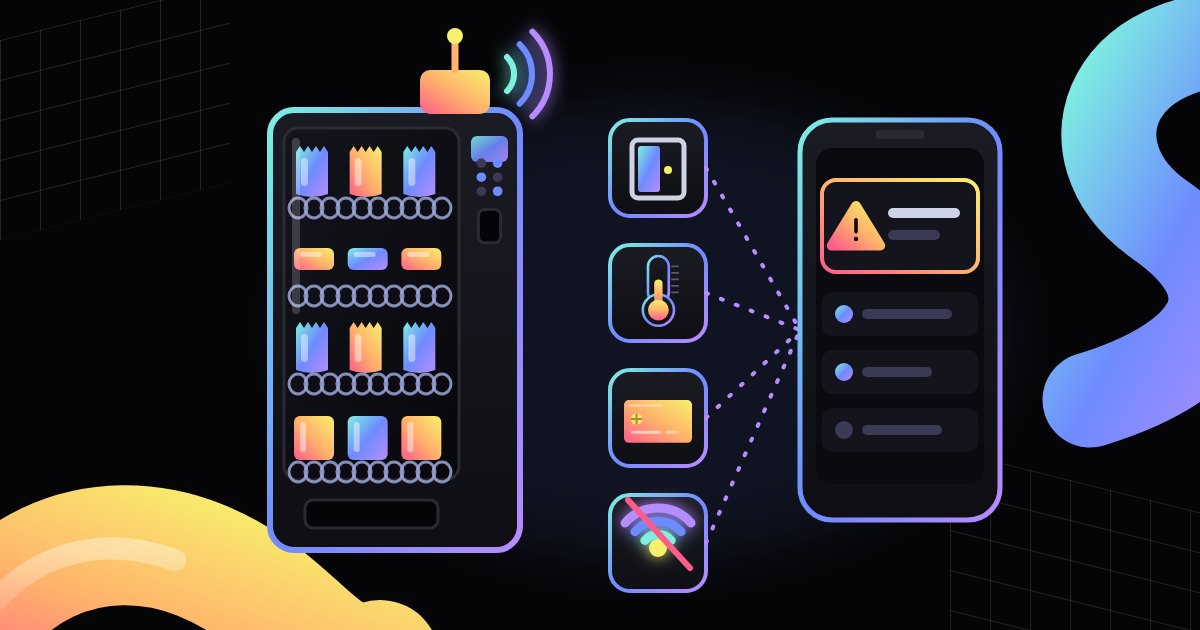
Which alerts does a vending machine with telemetry send? See which events it reports, who gets notified, how to prioritize the response, and how to cut down on false alarms.
A vending machine with a telemetry module does more than send sales data. It can also flag on its own that something needs attention: a door has been opened, the cabinet is getting too warm, a popular product is running low, or the card reader has stopped responding. That report is an alert, and the message that reaches a specific person is a notification. This article explains which events telemetry usually reports, who receives notifications, how to decide what to handle first, and how to cut down on false alarms. For a general introduction, see our article on what vending telemetry is.
What an alert is in telemetry
The controller continuously tracks the machine's status: door and temperature sensor readings, sales counters, and how the dispensing mechanisms and payment modules are working. The telemetry module reads this information and sends it to the operator's system. An alert is raised when a value or event meets a condition set in the system, for example when the temperature goes outside the set range or the machine has not connected to the server for a while.
It helps to tell an alert apart from an on-screen message. A message is what the customer standing at the machine sees. An alert goes to the operator, often before anyone on site notices a problem. Many events take both forms: the machine shows a message on its screen and reports the same event remotely. To learn what common display messages mean, read our article on the most common vending machine error messages.
Common events a machine reports
The range of reported events depends on the machine model, the controller, the telemetry module, and the software. Below are the groups that come up most often. Always confirm the exact list for a specific machine with the manufacturer or the system provider.
Door open
A door sensor reports that the machine has been opened. During restocking or a service visit, that is perfectly normal. The alert matters when the door opens outside a scheduled visit or stays open too long. The first case may point to an attempt at unauthorized access. The second is often a door left ajar after restocking, which in a refrigerated machine can affect the temperature inside the cabinet.
Temperature out of range
In refrigerated machines, a sensor measures the temperature inside the cabinet. The operator sets an acceptable range in the system, and an alert is raised when a reading falls outside it. Possible causes include a fault in the cooling system, blocked ventilation grilles, a door that is not fully closed, or very warm surroundings. Some machines can block sales of selected items on their own when the temperature is off. Whether a given model can do this, and how, depends on the manufacturer.
Empty and low-stock selections
The system calculates how many items are left in each selection based on the last restock and sales since then. It can report both an empty selection and low stock before a product runs out completely. This group also includes cash-related events: few coins left for change or a full bill box. These alerts rarely need an immediate response, but used well, they help plan the next route.
Payment problems
Telemetry can report that the card reader is not responding, the coin mechanism is rejecting every coin, or there has been a series of failed transactions. Some systems also match payment data against the sales recorded by the machine. That makes it possible to catch cases where a payment went through but the product was not dispensed. At a site where most customers pay by card, a card reader that is down means practically no sales, so these alerts usually get high priority.
Lost connection
A machine that has lost its network connection cannot report that itself. That is why this alert is usually raised on the server side: the module sends a short signal at regular intervals, and the system flags a problem when it receives no data for a set period. Common causes include weak signal, changes to the building's network settings, a damaged antenna, or a power cut. Some modules store data in memory and send it once the connection is back. To learn more about how machines connect to the network, read our article on vending machine connectivity over cellular, Wi-Fi, or cable.
Mechanical and power faults
Many machines also report technical errors: a jammed spiral, a failed vend, a motor fault, an elevator error, or a vend sensor error. Some machines can report a controller restart or a power interruption, while for others the system will only notice the lost contact. A description of the error helps the technician prepare for the visit and bring the right parts.
Who gets notified
An alert sitting in a dashboard does little good if nobody sees it. That is why systems let you send notifications to selected people, most often through a mobile app, email, or text message. The available channels depend on the system.
A good practice is to route alerts by event type. Technical faults go to the service team, low stock to the person who plans routes, and cash issues to whoever handles cash. That way, everyone receives only the information they can act on. Many systems also let you set an on-call schedule so that an alert at night or on the weekend reaches whoever is on duty.
Escalation is useful too. If nobody acknowledges an alert within a set time, the system passes it on, for example to a manager. Acknowledging an alert also shows the rest of the team that someone is already on it, so two people do not drive out to the same machine.
How quickly to respond
Not every alert is equally urgent. A simple three-level split helps:
- urgent: the machine is not selling, or something puts the stock or the machine at risk, for example the temperature out of range in a refrigerated machine, a door opened outside a visit, payments not working, or a long loss of connection,
- to schedule: events that can wait until the next visit, for example low stock or few coins left for change,
- informational: events worth logging that need no action, for example a door opening during scheduled restocking.
The operator sets the response time for each level, and if the arrangement with the host site requires it, that time goes into the contract. Urgent alerts often start with a remote check: looking at the event history, restarting the module, or calling someone at the site to ask whether the machine has power and whether anything is blocking the grilles. Only then does the team decide whether to send someone out. Once the cause is fixed, it is worth closing the alert in the system with a short note. That history comes in handy when the same problem comes back.
False alarms and how to reduce them
The biggest enemy of an alert system is too many notifications. When a phone keeps buzzing for trivial reasons, people stop responding, and an important alert gets lost among the rest. That is why the settings need fine-tuning, not just switching on.
- Service mode. When a technician or restocker logs the visit in the system or switches the machine to service mode, opening the door should not trigger an alert.
- Delay. A temperature or connection alert can be set to fire only when the problem lasts longer than a set time. A brief rise in temperature after loading or a momentary loss of signal will then not trigger an unnecessary notification.
- Accurate restocking data. If the team does not record exactly what they added, the system will report shortages that do not exist or miss real ones.
- Grouping repeats. The same problem should not generate dozens of separate notifications. Many systems can group recurring events.
- Rule reviews. Every so often, check which alerts appear most frequently and whether they actually needed a response. If a sensor keeps reporting errors with no clear cause, have the service team check it.
What to check before choosing a system
Before you settle on a specific solution, ask the provider a few questions:
- Which events will the system read from the machines you already have or plan to buy?
- Can you set alert thresholds, delays, and priorities yourself?
- Which channels do notifications use, and can they be routed to different people by event type?
- Does the system support on-call schedules, acknowledgment, and escalation?
- How does the system detect a lost connection, and how long does it wait before reporting it?
- Can you browse and export the alert history?
- Can you test notifications before rolling out to the whole fleet?
Compare the answers with how your team actually works. Even a feature-rich system will not help if nobody is responsible for responding to alerts. If you are still putting your fleet together, check whether the modern vending machines (publisher's site) you are considering work with a telemetry module and which events they can report.
Summary
Telemetry alerts turn a vending machine into a device that reports its own problems: open doors, incorrect temperature, low stock, payment issues, and lost connection. Their value, however, depends on the settings and on how the work is organized. Each notification has to reach the right person, urgent issues have to be told apart from routine ones, and false alarms have to be kept down so the team does not stop responding to them.
FAQ
Can every vending machine send alerts? No. It needs a telemetry module and a network connection, and the range of reported events depends on the controller, the module, and the software. Older machines may pass on less information than newer ones.
How is an alert different from a message on the machine's screen? The on-screen message is seen by the customer at the machine. An alert goes remotely to the operator, who can respond before anyone reports the problem.
Can a machine with no signal send an alert? It cannot send a message on its own without a connection. A lost connection is usually detected by the server when it receives no data from the machine for a set period.
Does the person at the site where the machine stands get notifications too? Alerts usually go to the operator and their team. Whether the host site manager receives any information, and what kind, depends on what the parties agree.